Choose Your Track
Three tracks share the same core, tuned for depth and pacing.
Curriculum Map
Select a track to filter module depth and practice.
Core Visuals
Use these as anchors during lecture and self‑study.
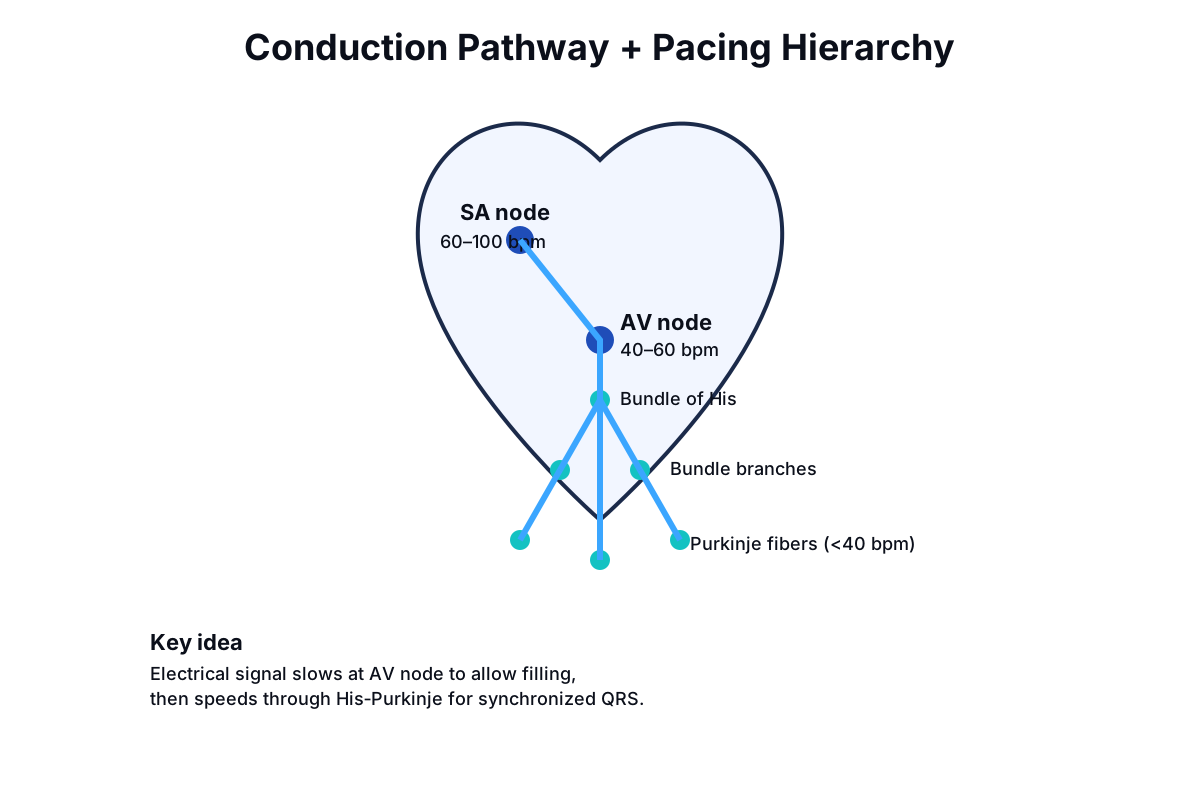


Decision Trees
Step‑through choices mirror ACLS algorithms. Start with stability.
Algorithm Visuals
Custom flowcharts aligned to ACLS dosing for quick reference.
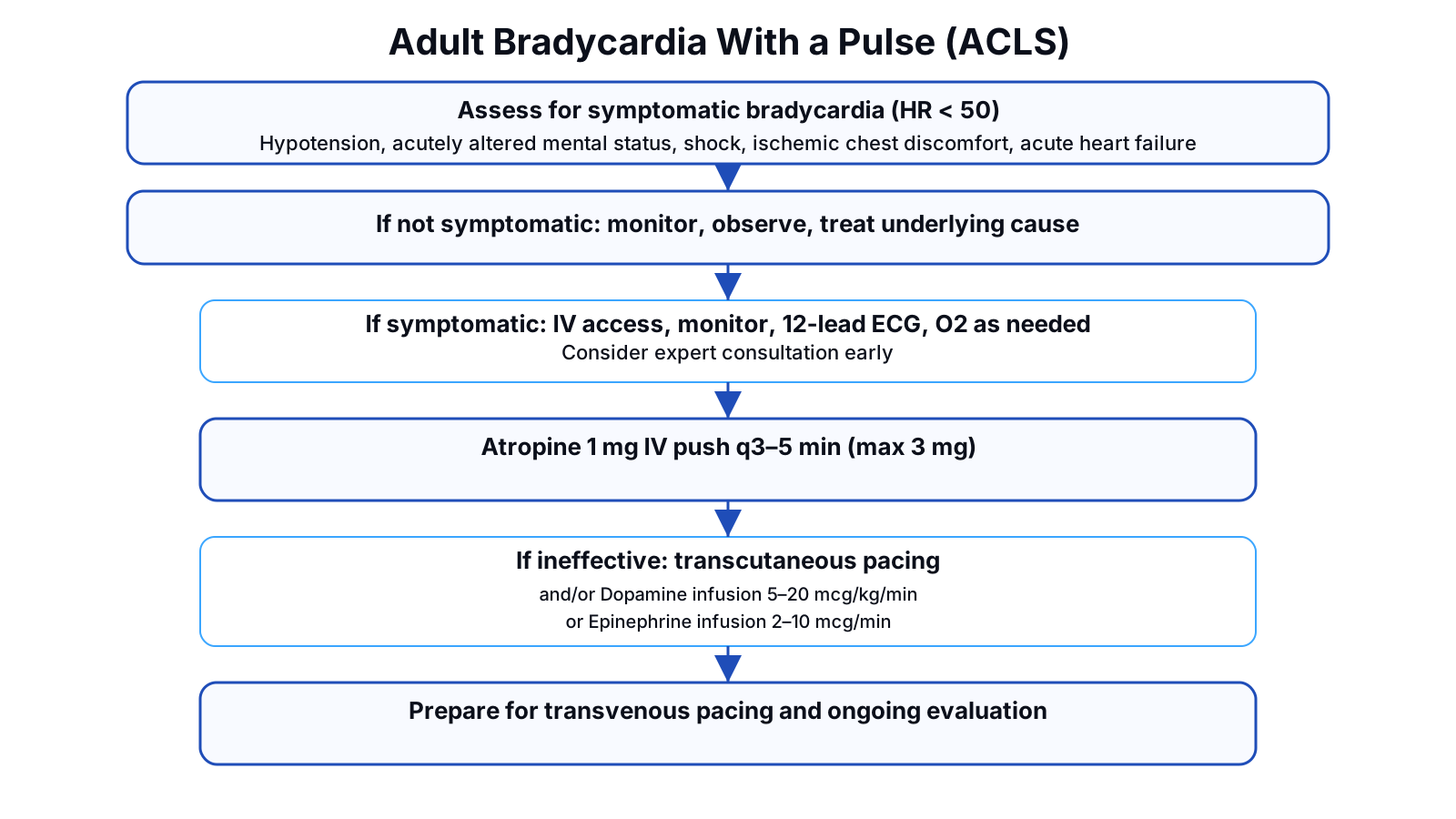
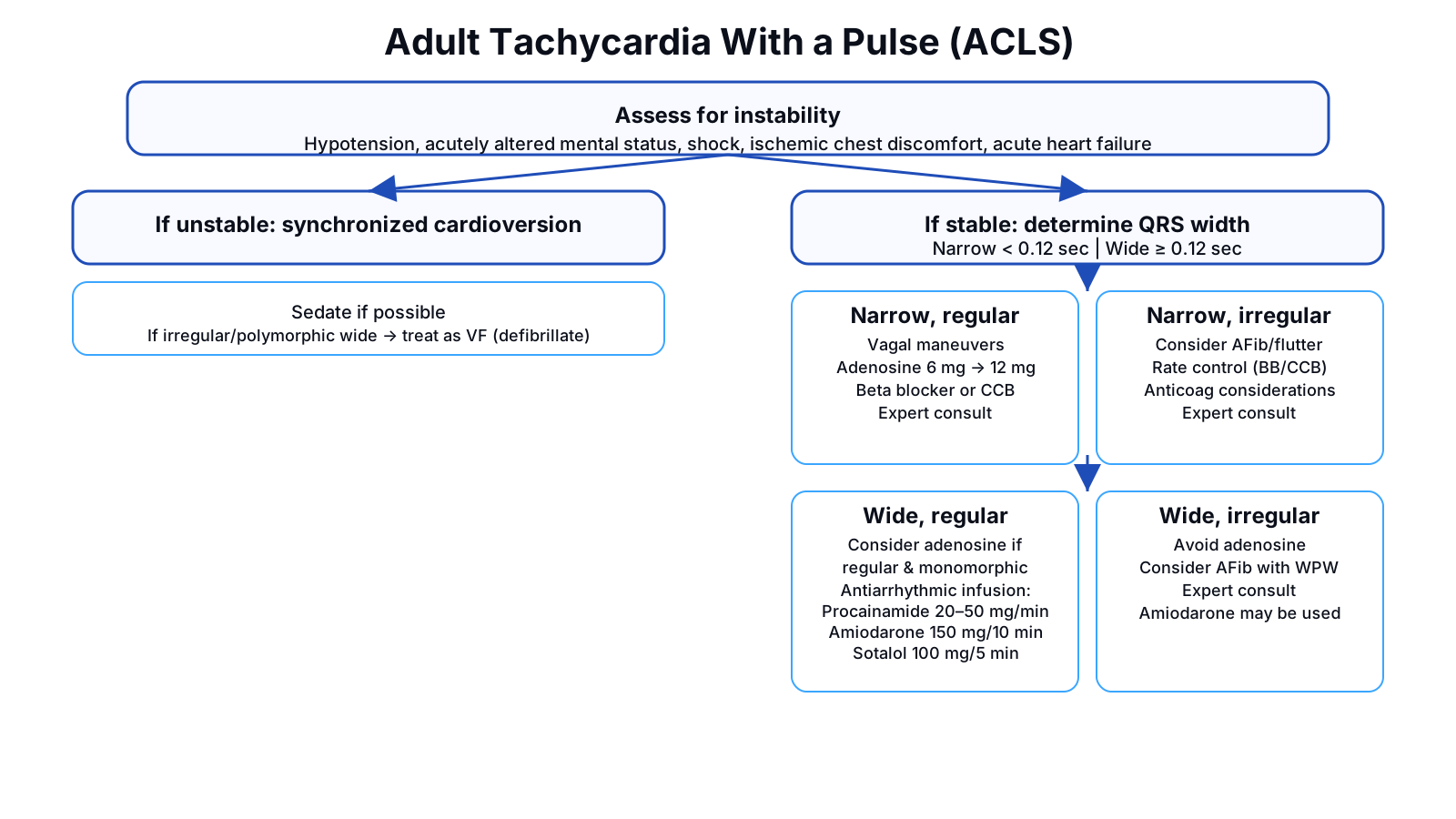
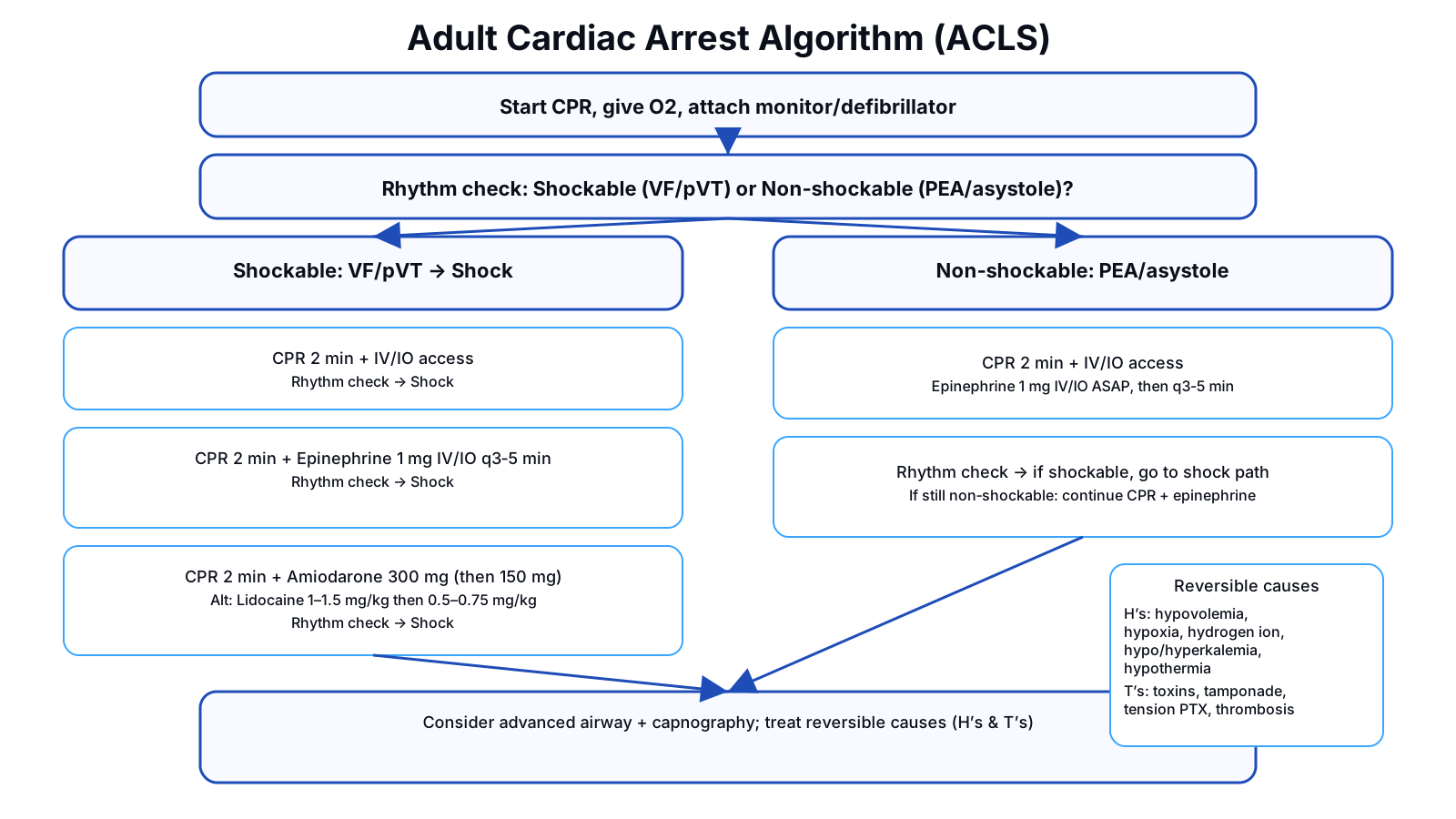
Rhythm Strip Practice
Multiple‑choice recognition with instant feedback. Click any strip to zoom.
Clinical Scenarios
Apply your knowledge to realistic patient cases. Work through each scenario step by step.
Rhythm Strip Generator
Practice with unlimited generated rhythm strips. Identify the rhythm, assess regularity, and estimate rate.
📱 For best phone experience, rotate to landscape before using the generator.
Rhythm Filters
PR / Heart Block Measurement Guide
Paper speed: 25 mm/s → 1 small box = 0.04 s (40 ms), 1 large box = 0.20 s.
PR interval: Normal is 0.12–0.20 s (3–5 small boxes).
- 1° AV block: PR > 0.20 s and constant.
- 2° Type I (Wenckebach): PR progressively lengthens, then dropped QRS.
- 2° Type II: PR constant on conducted beats with intermittent dropped QRS.
- 3° (complete) block: AV dissociation — P waves and QRS march independently.
Tip: Use RR box count to estimate rate and compare atrial vs ventricular regularity in blocks.
Use +/- controls to zoom the strip for closer review.
Feedback Tools
Export and review all feedback collected across the app.
README: Using feedback for debugging
Use the issues-only export when asking AI/Claude to debug. It includes all thumbs‑down items plus any comments (current state only).
It also includes generator entries marked “Looks Off” (or with notes).
- Collect feedback while Debug mode is on.
- Click “Download Issues Only (JSON)” and attach it to your AI request.
- For human review, use “Download Full Feedback (JSON)” to keep all votes plus the rolling history.
Tip: “Copy Issues Summary” creates a short, low‑token list that’s great for chat.